
Diary with Lock: Diary Journal
Simple Design Ltd.Lifestyle
4.87.32K Reviews
- Version
- 1.097.99.GP
- Installs
- 10.00M
- Age Rating
- Everyone
Screenshots




Our Review of Diary with Lock: Diary Journal
 Analysis by Appyee
I usually think of a diary as something intensely personal, but many homes now share tablets and phones, and that changes the practical question. A journal app has to be easy to open when you need it while still giving you a reasonable boundary from other people using the same device. Diary with Lock: Diary Journal takes that straightforward approach: it is a free lifestyle app from Simple Design Ltd. built around private daily writing, a password lock, and fingerprint access where the device supports it.
I tested it with a simple household scenario in mind. Imagine using a shared tablet in the evening to record a stressful day, a child borrowing the phone for a game, or a partner needing the device to check something quickly. The app is not a family organizer and it does not turn a shared device into separate user accounts. Its value is narrower and more useful: it gives one person a place to write and adds a lock around that diary. That distinction matters before you install it.
How it fits into a shared household
The first thing I like about this kind of app is that it does not demand a complicated routine. You open it, write what happened, and close it again. For a private note, that is often better than using a general notes app where the diary sits beside shopping lists, copied passwords, school reminders, and work material. The dedicated journal context makes it easier to treat personal writing as its own habit.
On a shared phone, however, the lock is only one part of the boundary. It protects the diary screen when the app is locked, but it does not create a separate Android or iOS profile for every member of the household. If several people use the same device, I would still keep the phone itself protected with its own screen lock and avoid handing over an already-unlocked device while the journal is open. That simple habit is more important than any diary setting.
A realistic use case is a parent who keeps the app on a family tablet but writes only after everyone else has finished using it. Another is a student who shares a phone with a sibling and wants a private place for reflections, plans, or difficult days. In both situations, the app works best when the user treats it as a personal notebook with a lock, not as a complete privacy system for a shared household.
There is also a useful emotional boundary here. A normal notes app can make private writing feel temporary or exposed because it appears alongside ordinary household information. A diary-focused app encourages a different mindset. I found that helpful for short entries, especially when I did not want to compose a polished document. The point is to capture the thought before it disappears, not to create a perfect record.
Start with the smallest useful routine
I would not begin by promising to write a long entry every night. A better approach is to use it for one specific moment: what went well, what caused tension, or what needs attention tomorrow. This keeps the app practical instead of turning journaling into another obligation. The lock then protects a habit that is actually sustainable rather than a collection of abandoned entries.
For household use, I would also decide where the app belongs on the device. Keeping it in an ordinary folder may make it less visually prominent when someone else borrows the phone, but that is only a modest privacy measure, not concealment. The real protection remains the app lock and the device lock. I would never rely on an unremarkable icon alone to protect sensitive writing.
Setup boundaries and everyday privacy
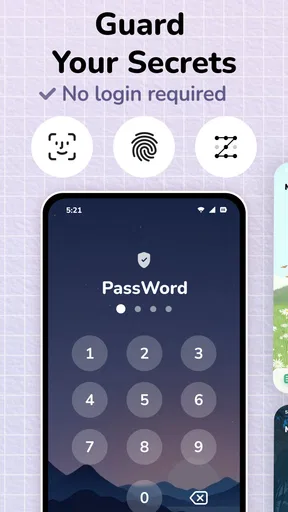
The central setup choice is the lock. The store summary presents the app as a diary with password and fingerprint protection, so the intended workflow is clear: create a private journal, secure access, and return to it when needed. If your phone supports fingerprint authentication, using it can make frequent entries less frustrating than typing a password every time. A password remains important as a fallback and should not be something another household member can easily guess.
This is where I would slow down during setup. Do not use a birthday, a pet’s name, or a short code that family members already know. A diary can contain details that are harmless individually but revealing when read together: arguments, health concerns, financial worries, or thoughts about someone close to you. A lock is only as strong as the secret behind it.
I would also test the lock immediately after setting it. Close the app, reopen it, and check what happens after the device has been idle. That small test tells you whether the protection fits your routine. If you often switch between apps while writing, pay attention to whether the journal remains visible in the app switcher or on the screen when you hand the phone to someone else. The safest habit is to leave the diary before passing the device over.
Fingerprint access is convenient, but it is not a reason to ignore the password. Biometric access depends on the phone’s own enrollment and security settings, and household members may have their fingerprints registered on a shared device. If another person can unlock the phone with their own biometric profile, I would be careful about how the diary’s fingerprint option behaves on that device and use a private password when necessary. The app cannot replace a thoughtful device-sharing arrangement.
There is a second boundary that is easy to overlook: the difference between privacy from casual browsing and protection from someone determined to inspect the device. This app is well suited to preventing an accidental opening by a sibling, friend, or child. I would not describe it as a substitute for a separate user profile, a dedicated personal phone, or a broader security strategy. If your situation involves serious monitoring concerns, the device and operating system matter just as much as the diary.
What the free model means in practice
The app is free to install, which makes it easy to try without committing money first. It also includes in-app purchases ranging from $0.99 to $39.99 per item. I would check the purchase screen carefully before confirming anything, especially on a shared device where another person might have access to the store account. The free starting point is useful, but the presence of optional purchases means household users should keep store authentication under control.
I would not install it on a child’s shared tablet without discussing that boundary first. The content rating is Everyone, which makes the app broadly suitable from an age-rating perspective, but an age label does not decide whether a private diary is appropriate for a particular family. Younger users may need help understanding that a password should remain private and that a diary is not a replacement for telling a trusted adult about a serious problem.
Coordination without turning a diary into a group tool
One of the most important things to understand is what this app is not. It is not a shared calendar, a family task board, or a messaging space. I would not choose it to coordinate school pickups, grocery lists, appointments, or household chores. Those jobs are better handled by tools designed for shared visibility, because hiding coordination inside a private diary would create confusion.
Where it can help is on the personal side of coordination. I might write down what I need to discuss with a partner before bringing it up, record questions for a doctor, or make a private list of details to remember before a family meeting. That keeps the thinking process separate from the final conversation. The app supports preparation, not automatic collaboration.
This distinction is especially useful in a busy home. Suppose one person is managing a difficult week and wants to note patterns in sleep, mood, or stress. A private journal can help them organize their observations before deciding what to share. But the notes remain personal unless the user deliberately communicates them. Other household members should not assume that having the app on a shared device gives them a right to read it.
I also see a practical benefit for people who dislike cloud-based collaboration for personal reflections. A private diary feels less like a document that needs formatting or sharing permissions and more like a quick record. At the same time, I would not assume that a lock automatically explains where entries are stored, how backups work, or what happens after changing devices. Those are important questions for anyone whose diary contains irreplaceable memories. If your journal is valuable, keep your own cautious backup plan rather than trusting a single app blindly.
Compared with a paper notebook, the app is easier to keep with you and can offer password or fingerprint access. Paper has its own advantages: it works without a battery, has no app interface to navigate, and can be stored physically somewhere private. Compared with a general notes app, this diary is more focused and emotionally appropriate for recurring entries. A notes app may still be better if you need tables, extensive formatting, collaborative editing, or reliable document export.
A workflow I would actually use
For a shared-device household, my preferred workflow would be short and deliberate. I would open the diary only when I have a minute, write the date and the one thing I most want to remember, then lock the app before leaving the device. Once a week, I would skim earlier entries privately and decide whether any thought belongs in a conversation, a task list, or nowhere else. This prevents the diary from becoming a hidden second calendar.
Another useful approach is to separate observation from judgment. Instead of writing only “today was awful,” I would note the event, my reaction, and what I might try next. That makes the journal more useful when reviewing patterns later. The app does not need to provide a sophisticated coaching system for this to work; the value comes from using the private space intentionally.
If several people use the same phone, I would not create one shared diary for the household. A shared journal blurs ownership and makes the lock less meaningful. Each person who wants a private record should use their own protected device or account arrangement. This app is designed around personal writing, and forcing it into a family log would remove its main strength.
Age, trust, and the limits of a lock
The Everyone rating makes the app approachable for a wide audience, but suitability depends on maturity and the household’s trust rules. A teenager may appreciate having a private place to process school pressure or friendships. A younger child may need a conversation about what privacy means, how to choose a password, and when to seek help instead of keeping a serious concern only in a diary.
Parents should be clear about the difference between supervision and intrusion. Installing a diary for a child and then reading it without warning can damage trust, even if the device belongs to the parent. On the other hand, a lock should not be treated as a promise that no adult may ever intervene in an emergency. Families need to set that expectation openly rather than leaving the app to define the rule.
The same applies between partners and roommates. A private journal is not evidence that someone is hiding something, and access to a shared phone does not create automatic permission to inspect personal writing. The app can support a healthy boundary, but it cannot negotiate that boundary for you. I consider this a strength when used respectfully and a source of conflict when the household has no agreement about private space.
For older users, the fingerprint option may be more comfortable than remembering another password, provided the device’s biometric setup is personal and reliable. For anyone with accessibility needs, I would spend time checking whether the chosen lock method is easy to use consistently. A security feature that is too inconvenient may lead people to leave the app open, which defeats the purpose.
Compatibility and the practical purchase decision
The listed minimum operating system is Android 8.0, so owners of older phones should check compatibility before planning around it. The current version is 1.097.99.GP, and the app has reached over ten million installs, with an average rating of 4.8 from around 408 thousand ratings. Those figures suggest that the basic diary-and-lock idea has found a large audience, but popularity does not remove the need to test the app against your own device and household routine.
Simple Design Ltd. keeps the product in the lifestyle category rather than presenting it as a full productivity suite. I think that positioning is accurate. It is best when the goal is regular personal writing with a protective entry point, not when you need a research notebook, shared planning system, or advanced document manager.
The app has around 7.3 thousand written reviews, which gives prospective users plenty of public feedback to consider alongside the high average rating. I would still focus on the details that matter personally: whether the lock feels dependable, whether opening the journal is quick enough for your habit, and whether the purchase model suits a shared device. A strong overall score cannot answer those questions for every phone.
One trade-off is simplicity. A focused diary can feel calmer than a feature-heavy writing platform, but users who want elaborate organization may eventually find it limiting. If you need tagging, cross-device research workflows, team access, or a sophisticated export process, I would compare it with a dedicated notes or journaling alternative before moving years of writing into it.
My household verdict
After looking at it through the shared-device lens, I see Diary with Lock: Diary Journal as a sensible personal journal for people who want a low-friction place to write and a basic privacy barrier. Its strongest use is clear: open it for a private entry, secure it with a password or supported fingerprint access, and keep personal reflection separate from ordinary household notes.
I would recommend it to a student sharing space with siblings, an adult who wants a simple daily record, or anyone moving from paper to a phone-based diary without wanting a full productivity system. The free entry point makes trying it easy, and the Everyone rating keeps it broadly approachable. The app is also a good fit when the main problem is casual access by someone borrowing your device.
I would skip it if you need true household accounts, shared planning, professional-grade document management, or a clearly collaborative journal. I would also choose a different solution if your privacy needs go beyond protecting a diary from accidental opening. In those situations, operating-system profiles, a personal device, or a more specialized tool may be the better answer.
My practical recommendation is to install it, set a private password, test the lock before writing anything sensitive, and agree with other device users that personal entries are off-limits. Keep coordination in a shared tool and use the diary for thoughts that belong to you. The app works best when its narrow purpose is respected: private writing, not household management.
That is ultimately why I find it worthwhile. It does not try to solve every problem around memory, planning, or family communication. It gives everyday users a dedicated journal with a clear privacy feature and enough simplicity to encourage regular use. On a shared device, that can be genuinely helpful—as long as everyone understands that an app lock creates a boundary inside the device, not a complete replacement for trust, good security habits, and honest household rules.
Verdict
Strengths of Diary with Lock: Diary Journal
- PIN, password, or biometric protection helps keep private entries secure.
- Clean writing interface makes daily journaling quick and distraction-free.
- Useful search tools make it easy to find older memories and notes.
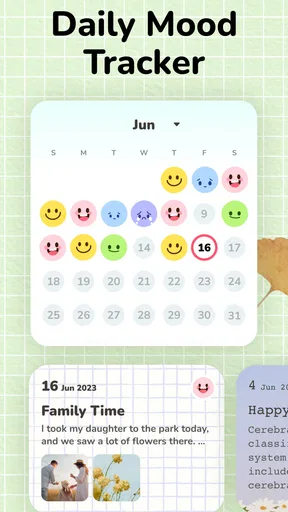
- Mood tracking can help identify emotional patterns over time.
- Photo support lets you preserve images alongside personal reflections.
Limitations of Diary with Lock: Diary Journal
- Some privacy features may require a premium subscription.
- Forgetting the lock code could make recovering entries difficult.
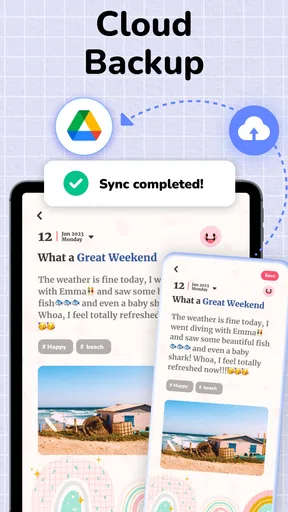
- Cloud backup options may vary by device or account settings.
- Ads can interrupt the experience in the free version.
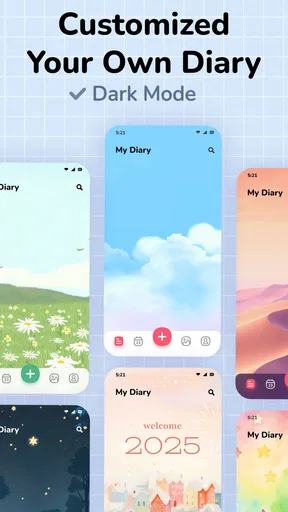
- Advanced customization may feel limited for experienced journal users.
Other Releases by Simple Design Ltd.
View All
Video Downloader - Downloader
Video Players & Editors4.7

Fonts Keyboard Themes & Emoji
Personalization4.7

Image to PDF - PDF Maker
Productivity4.9

Document Reader - PDF Editor
Productivity4.7
Similar Picks in This Category
View All
SmartThings
Samsung Electronics Co., Ltd.4.6

Google Home
Google LLC4.0

Pinterest4.2

Astrotalk - Talk to Astrologer
Astrology & Horoscope4.7

My Verizon
Verizon Consumer Group4.5

Samsung Wallet (Samsung Pay)
Samsung Electronics Co., Ltd.4.1
Frequently Asked Questions
What is Diary with Lock: Diary Journal used for?
Diary with Lock: Diary Journal is designed for writing and organizing private thoughts, daily experiences, notes, memories, and personal reflections in one place. After reviewing the app, its main appeal is the simple diary-style interface, which makes it easy to create entries regularly. It can be useful for journaling, mood tracking, gratitude notes, planning, or keeping a personal record of important moments.
Does Diary with Lock: Diary Journal really protect private entries?
The app is built around privacy and typically allows users to protect their diary with a passcode, PIN, pattern, or another available security method, depending on the device and app version. Before saving highly sensitive information, users should check the current security settings and privacy policy. A lock helps prevent casual access, but it should not be treated as a replacement for full device security or encrypted backup protection.
Can I add photos, moods, or other details to diary entries?
Diary with Lock: Diary Journal generally focuses on making entries more personal than plain text notes. Depending on the version installed, users may be able to attach photos, record moods, add dates, use reminders, or organize entries with categories and other details. Available tools can vary between Android and iOS releases, so it is worth checking the app listing and permissions before downloading.
Is Diary with Lock: Diary Journal free to download and use?
The application may be available as a free download, but some features can be limited by advertisements, optional purchases, subscriptions, or premium upgrades. Users should review the store page carefully to see which functions are included without payment. It is also important to check subscription terms, renewal conditions, and whether removing ads or unlocking extra customization requires a separate purchase.
Can I recover my diary entries if I change or lose my phone?
Entry recovery depends on the backup and synchronization options provided by the current version of Diary with Lock: Diary Journal. Some diary apps store information locally, while others offer cloud backup, export, or device-transfer tools. Before switching phones or deleting the app, open its settings and look for backup or export options. Without a backup, locally stored entries may be impossible to restore.
